
Wednesday, October 21
Section outline
-
-
-
Students mustMark as done
Homework:
-
Students mustMark as done676.1 KB · Uploaded 10/20/20, 09:17
-
Students mustMark as done56.8 KB · Uploaded 10/18/20, 15:25
-
Students mustMark as done141.6 KB · Uploaded 10/18/20, 15:28
-
Students mustMark as done224.2 KB · Uploaded 10/18/20, 15:41
-
-
-
Students mustMark as doneView the “ENGAGE” slides linked above, watching Anisa Ibrahim’s “Still” when prompted. Post your reflections on the video's narrative composition in the Moodle forum. Alternatively, you can attach a story canvas for “Still” to evaluate the design and effect of its story.
-
-
Students mustMark as done34.2 MB · Uploaded 01/13/21, 16:45
-
Students mustMark as done
Learning objectives
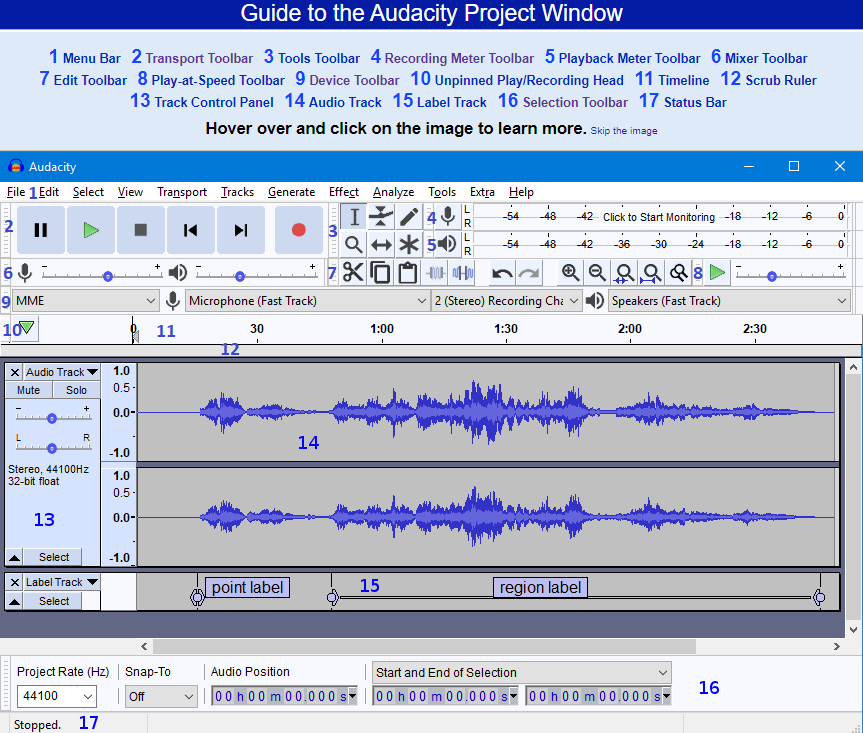
- Downloading and installing Audacity
- Importing audio
- Setting up hardware to record
- Recording two tracks simultaneously
- Basic editing and common effects
- Splitting clips
- Exporting a project
- Inserting silence
- Bleeping unwanted words and sounds
-
Students mustMark as done
NOTE: Please have access to Audacity for next Wednesday's session. Audacity is installed on all Bryn Mawr-owned computers, but if you are using your own laptop, you will need to download Audacity and an MP3 LAME encoder file, if you wish to save files in this format. To install Audacity, go to http://www.audacityteam.org/ and click the Download button, then launch the installer and follow the prompts.
-
Students mustMark as done
-